Editing Level Style
Switch to the Style tab of the Top Menu or Submenu panel to access settings related to level style.
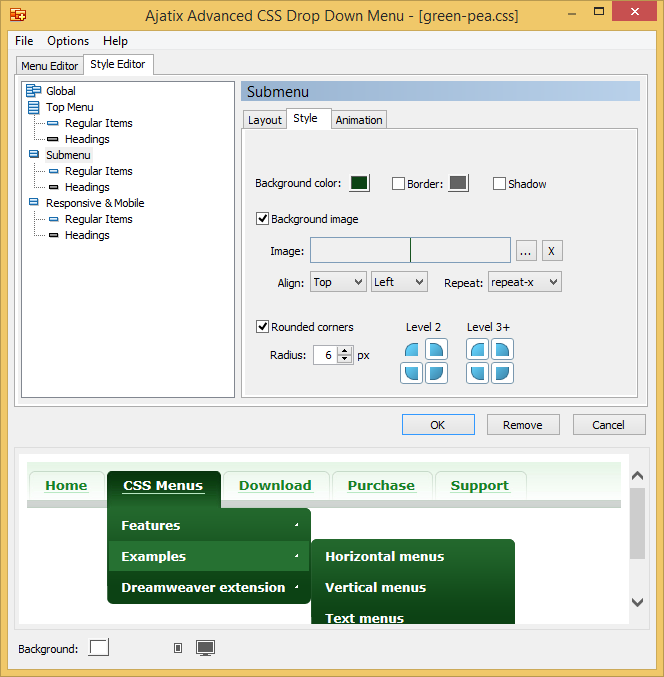
Background color
Specifies the background color of the level.
Border
Turns the border around the whole level on and off and sets its color.
Shadow
When on, the corresponding level will cast shadow.
Background image
A user provided image is used as the level's background.
Image
Custom background image.
Align
Specifies how the background image of the top menu or a drop down menu is aligned horizontally and vertically.
Repeat
Specifies whether the background image of the menu level is repeated (tiled), and if so, how. The image can be repeated horizontally, vertically, in both, or none directions.
Rounded corners
Enables rounded corners for the level.
Radius
Sets the radius of the corners.

