Editing Lightbox Content
Content Editor tab is where you add images, videos, and html content to the lightbox, arrange them, enter captions and thumbnail labels and size of the lightbox window.
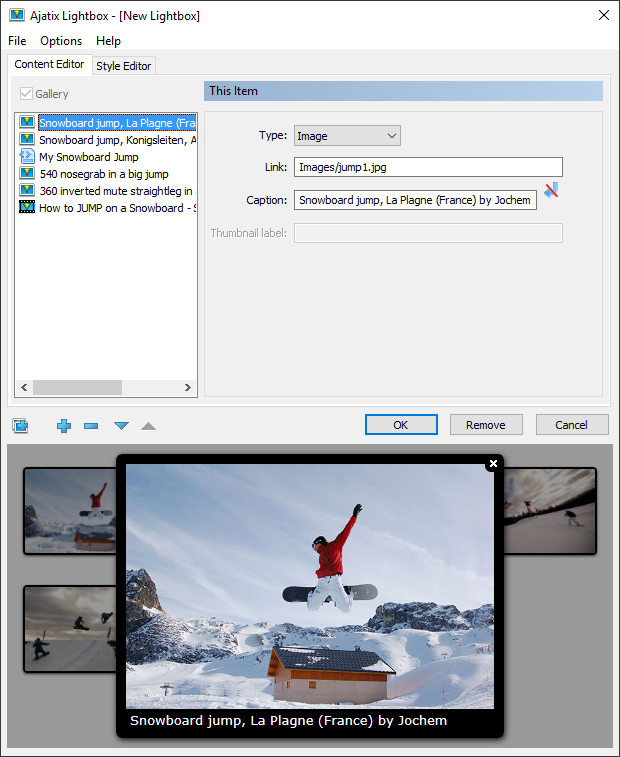
Gallery
Enable Gallery, if you want to display multiple items. The lightbox will allow you to browse through a set of images, videos, and html contents.
Adding Images or Videos or HTML content
Use Add New Item, Remove Item, Move Item... buttons under the list of items to add new item to the gallery, to remove them, and to rearrange them.
Use Add Multiple Images button to add a few images to the gallery.
Type of the Item
The lightbox window can display an image, play a video from youtube.com and vimeo.com or show html content. Select 'Image' if you wish to display an image, select "Video" to display a video hosted on YouTube or Vimeo, select "HTML" to show html content. When a new item is added its type is set to the same value as the current item.
To learn more about editing particular lightbox content types see the following topics:

