Editing Navigation Individual Buttons Style
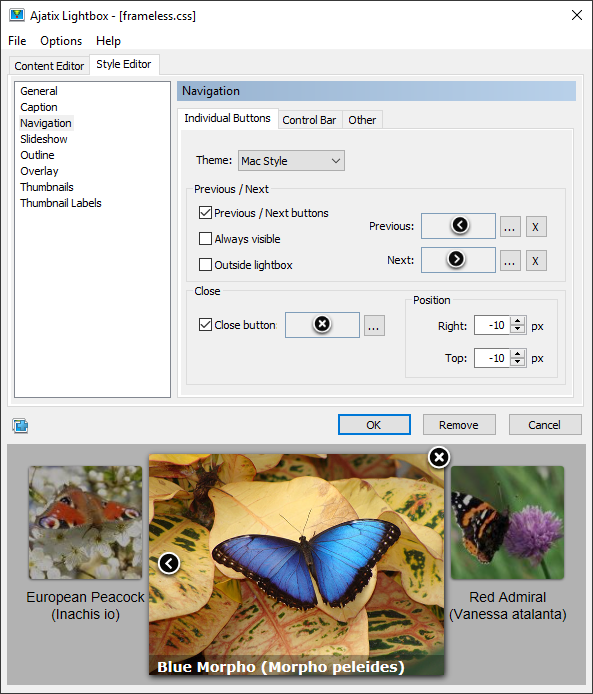
Switch to the Individual Buttons tab of the Navigation panel to access individual navigation buttons style settings.
Theme
Allows to select one of the preset navigation themes.
Previous / Next
Images for the Previous and the Next buttons.
Always visible
The buttons "Previous" and "Next" will be visible always.
Outside lightbox
The buttons "Previous" and "Next" will appear to the left and to the right of the lightbox window.
Close button
Image for the Close button. The Close button is optional.
Position
The Close button is positioned at the top right corner of the lightbox. You can adjust its offset from the corner by setting Right and Top values.

